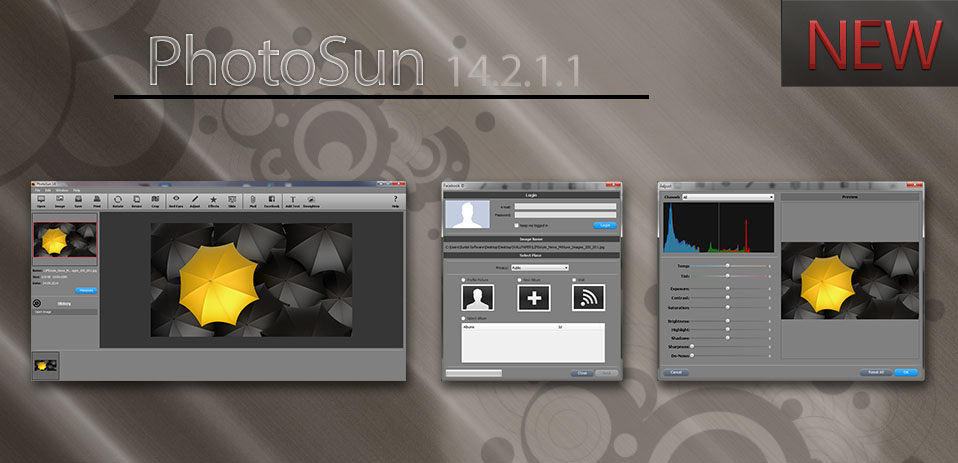
New Update PhotoSun 14 1.0.0.1Please, Uninstall PhotoSun 14 1.0.0.0 then Install PhotoSun 14 1.0.0.1
|
A lot of bugs fixed
|
- PhotoSun 14 - Make each photo its absolute best -
PhotoSun 14 gives you everything you need to fix your photos. Remove red-eye with a click. Adjust exposure, brightness, and contrast. Crop to frame your subject. If you don’t know where to begin, click the Enhance tool and watch PhotoSun 14 automatically fix underexposed or dull photos. From there, you can try a few more tricks.
PhotoSun 14 is Experiment with effects
Have as much fun tweaking your photos as you do taking them. With PhotoSun 14 effects, you can convert color photos to black and white, try a classic sepia tone, add a vignette border, and more. Experiment without fear: A click of the “None” thumbnail removes effects and returns your photo to its original state. In fact, any edit you make in PhotoSun 14 is reversible, so you don’t have to worry about losing your originals.
PhotoSun 14 is Email good enough to frame
Your photos look fantastic. So should the email you share them in. PhotoSun 14 turns emailed photos into something much more fun and creative than mere attachments. Everything happens right in PhotoSun 14; you don’t even have to open Mail. Start by choosing an Micranes-designed theme like Announcement, Cardstock, or Collage. Then just select your photos and watch as PhotoSun 14 places them in the template automatically. PhotoSun 14 automatically formats your message, so it’s always the perfect size.
PhotoSun 14 is Facebook friendlier
PhotoSun 14 is an even bigger fan of Facebook now. Not only can you use PhotoSun 14 to change your Facebook profile picture, but you can choose to upload photos directly to your Wall or to an existing album. PhotoSun 14 even displays your Facebook photo albums — whether they were published with PhotoSun 14 or another application. What’s more, when your friends leave comments on your photos, you’ll see them in PhotoSun 14.